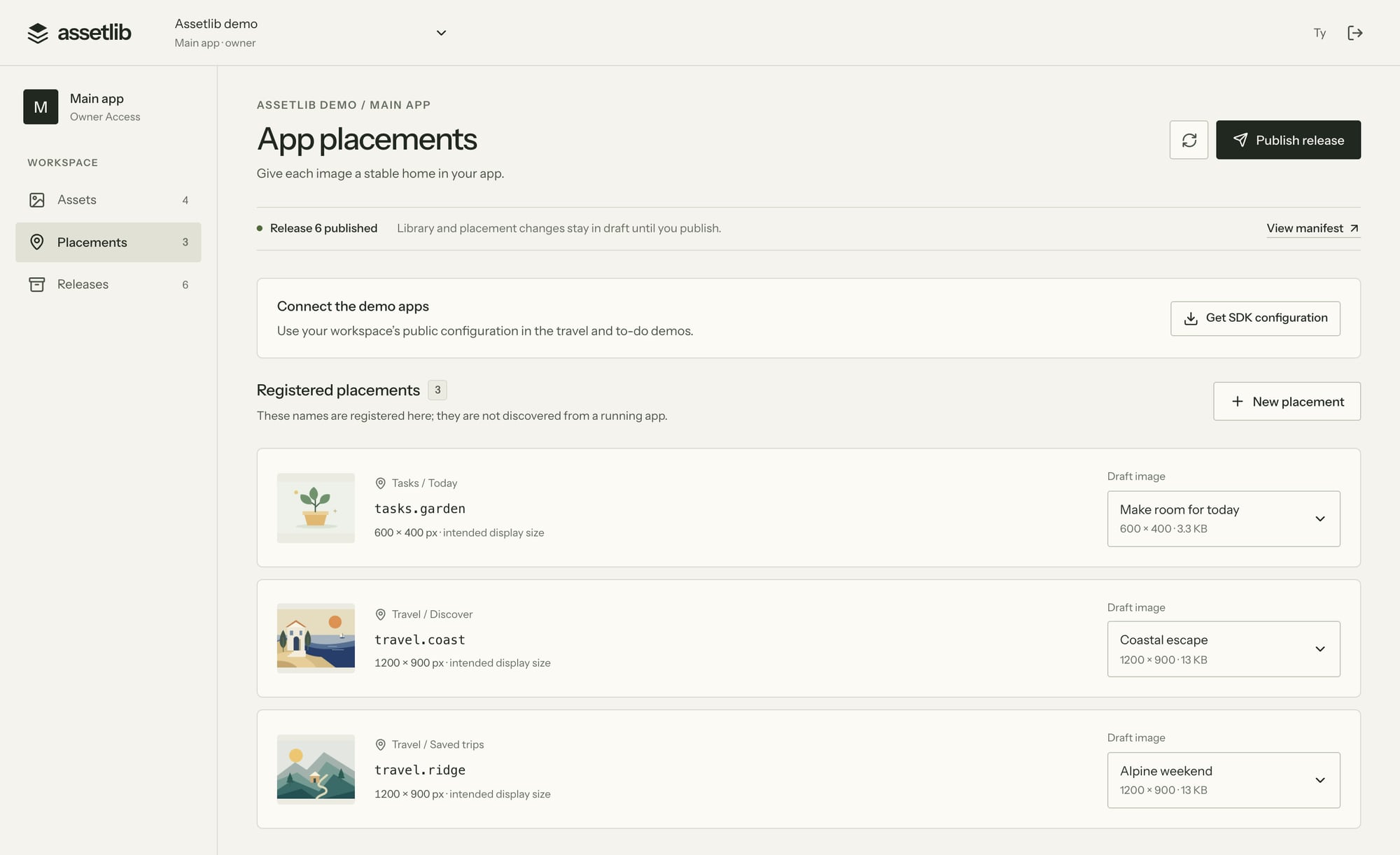
Name the places images live.
A placement is a stable key such as travel.coast, with a screen and an intended size. An engineer registers it once and keeps a bundled fallback in the app.
From then on, anyone with console access can fill it.
Connect the image placements your team changes often. Publish optimized artwork, see it in the running app, and restore an earlier release when needed.
Developer preview for Expo and web, with Swift and Kotlin SDK previews. The first integration requires an app release.
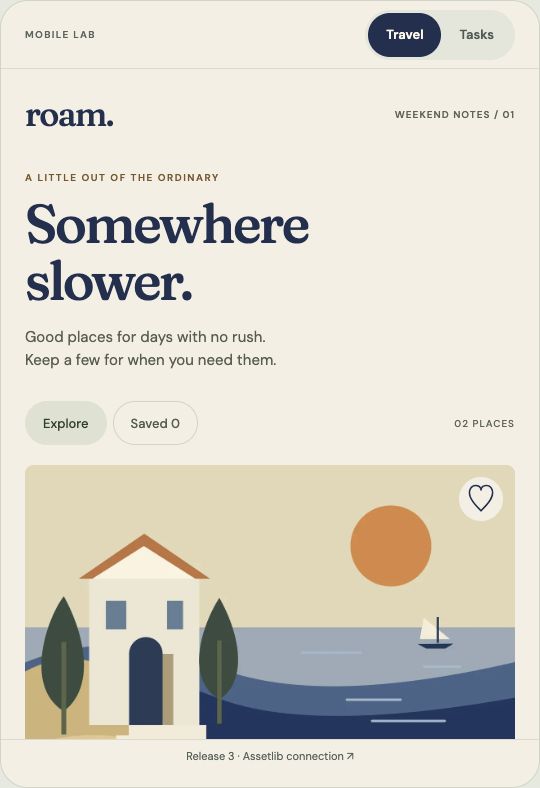
Three screens from the console, as it runs today. Engineers define the contract once; designers and product managers publish within it.
A placement is a stable key such as travel.coast, with a screen and an intended size. An engineer registers it once and keeps a bundled fallback in the app.
From then on, anyone with console access can fill it.
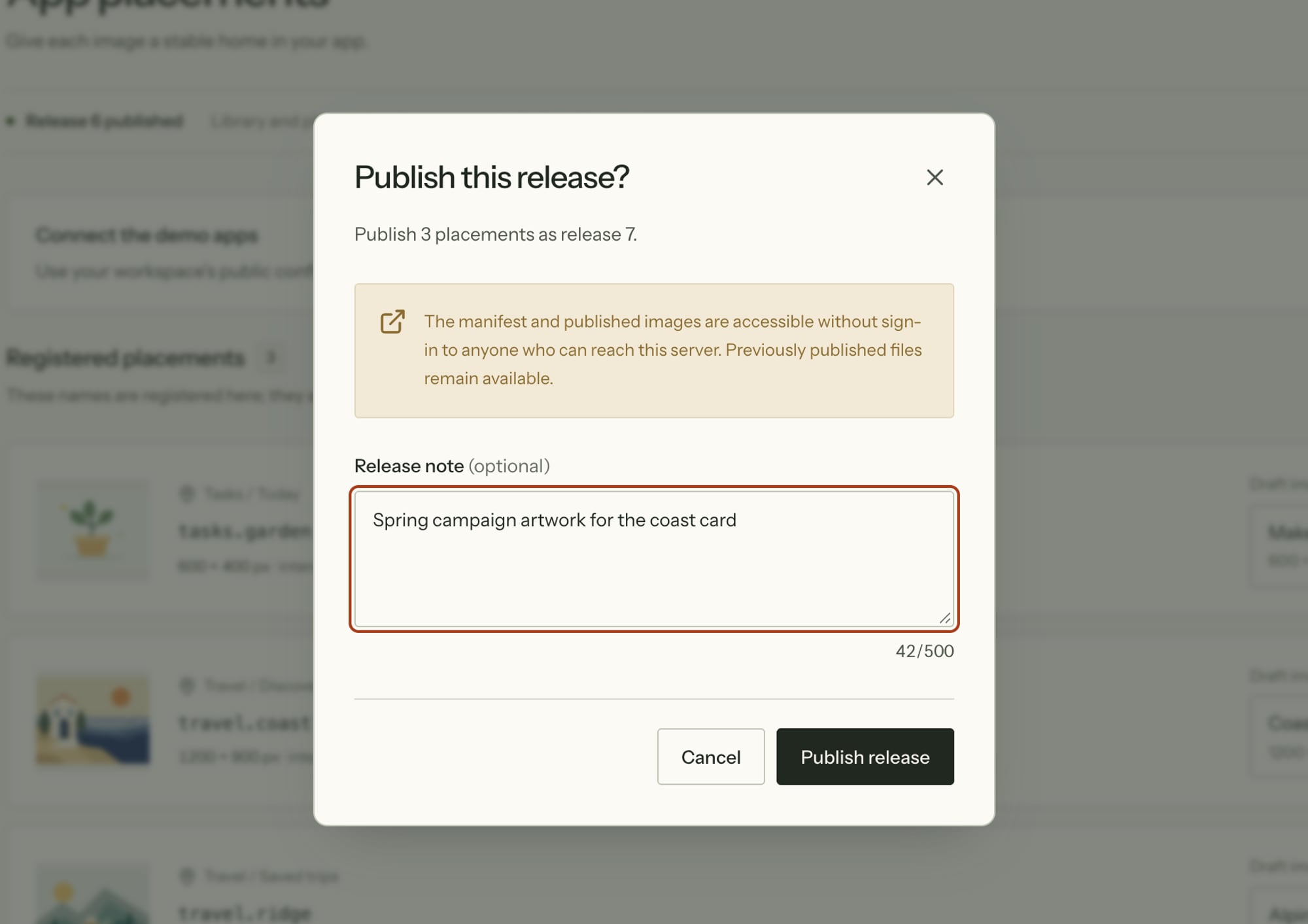
Assign an image to a placement, write a note, publish. The console prepares an optimized WebP and signs a manifest that the SDK verifies before anything is shown.
Drafts stay private until you publish.
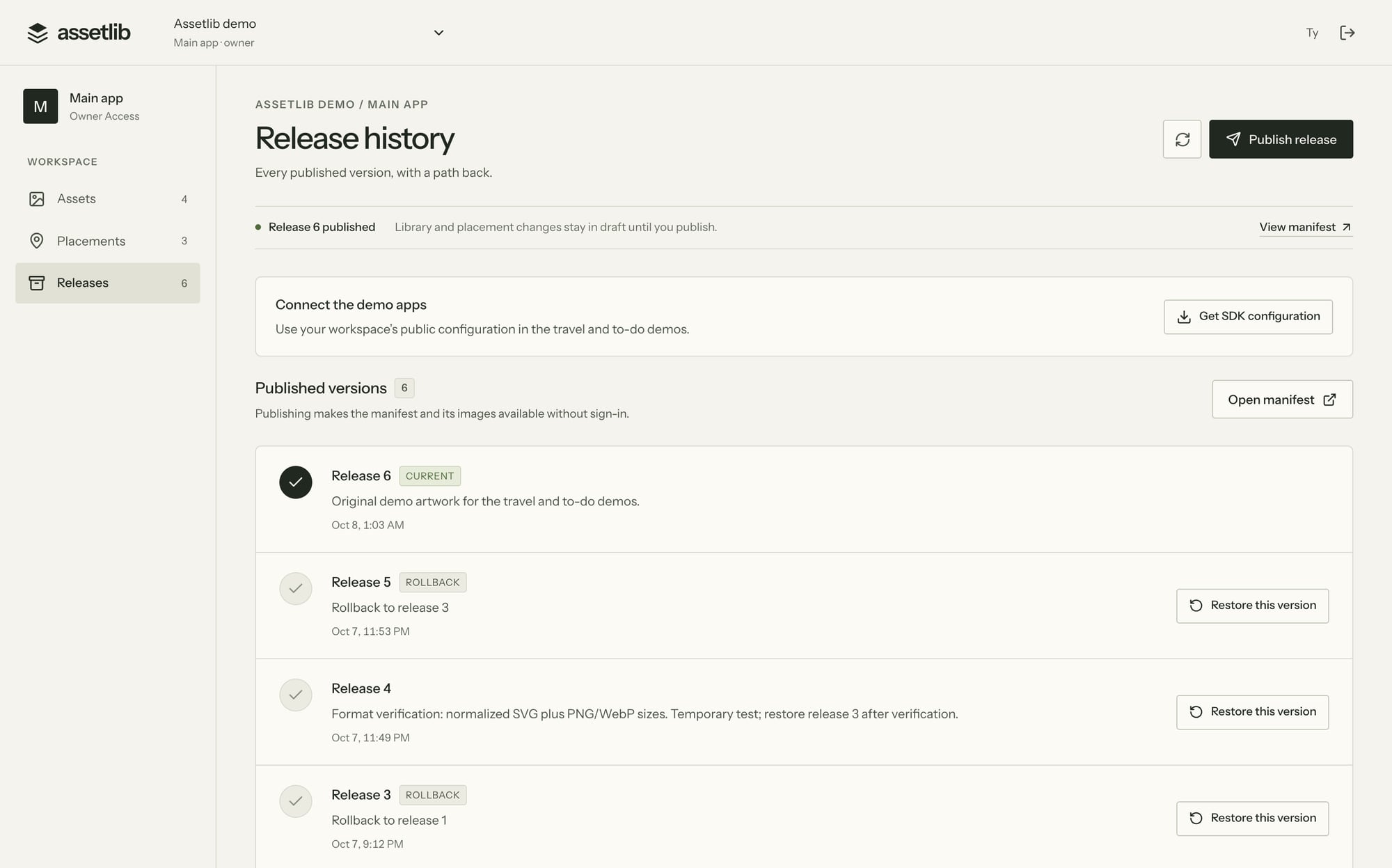
Every release stays in history. Restore an earlier one and connected apps receive it on their next refresh, as a new release number.
An image that any placement or release still references cannot be archived.
Roam and Daylight are small open-source Expo apps we built to exercise the SDK. They run live on this page. Open one, then connect your workspace to publish an image.
Travel demo
A small Expo app for saving weekend places. Two of its images are connected to Assetlib placements. Change the destination artwork from your workspace and watch it update here.
travel.coastThe SDK gives each placement a generated, typed reference. Layout, behavior, and the bundled fallback stay in your code.
import { parsePublicConfig } from '@assetlib/sdk-core';
import { createExpoAssetClient, AssetlibImage } from '@assetlib/sdk-expo';
import { AppAssets } from './assets.generated';

const client = createExpoAssetClient(parsePublicConfig(publicConfig));
await client.initialize();
await client.refresh();

<AssetlibImage
  client={client}
  asset={AppAssets.Travel.coast}
  fallback={require('./assets/coast.png')}
  pixelWidth={600}
  pixelHeight={450}
  contentFit="cover"
  style={{ width: '100%', aspectRatio: 4 / 3 }}
/>
From the SDK readme. This is the integration the travel demo uses.
AppAssets.Travel.coast. Compatible artwork updates keep the reference; renames are a migration.This is a developer preview. We would rather you know the edges than discover them.
The questions engineers ask first.
Images in the places you connect to the SDK: a destination photo, an onboarding illustration, or a promotional banner. Your app keeps its layout and behavior. New screens, launcher icons, and system launch screens still need app development.
Yes. Open either demo in your browser, with no account required. To publish your own artwork, create an Assetlib workspace using GitHub sign-in and paste its public configuration into the demo. Both apps are open source and already include the SDK.
The first integration: choosing image placements, defining their dimensions, adding bundled fallbacks, and shipping the SDK in an app release. After that, compatible images can be published from the console. New placements or SDK changes may need another app release.
The app checks for a signed release and downloads images as their screens need them. In the demos, use Check for updates to request the latest release. An offline device receives new artwork after it reconnects and refreshes.
The SDK uses a verified cached image or the fallback bundled in the app. You can restore an earlier release from the console; the app receives that rollback on its next successful refresh.
EAS Update ships whole JavaScript bundles and is driven by engineers. A CMS manages content, not named image slots with size contracts and native fallbacks. Assetlib is narrower: a signed, versioned release process for the images already inside your app, with a typed reference per placement.
Open the travel demo, connect a workspace, and publish a different image. Then restore the original.